

Speaker Test – Free Online Sound & Audio Tester
Test your speaker online in seconds with our free speaker test tool. Whether your audio sounds low, distorted, or not working, this sound test helps you quickly check speaker quality, stereo balance, and volume performance directly in your browser.
Use this tool to check left and right channels, run a full audio test.
What Is a Speaker Test?
A speaker test is a simple process used to check whether your speakers or headphones are producing clear, balanced audio across the full frequency range. It helps to ensure that your device’s audio is functioning as it should. By playing specially designed test sounds, you can check the performance of your speakers, including clarity, volume, and stereo balance. This can help identify problems such as distorted audio, low sound, or one speaker not working. It’s an essential tool for quickly diagnosing sound issues on phones, laptops, desktops, and other devices.
How to Test My Speaker Online?
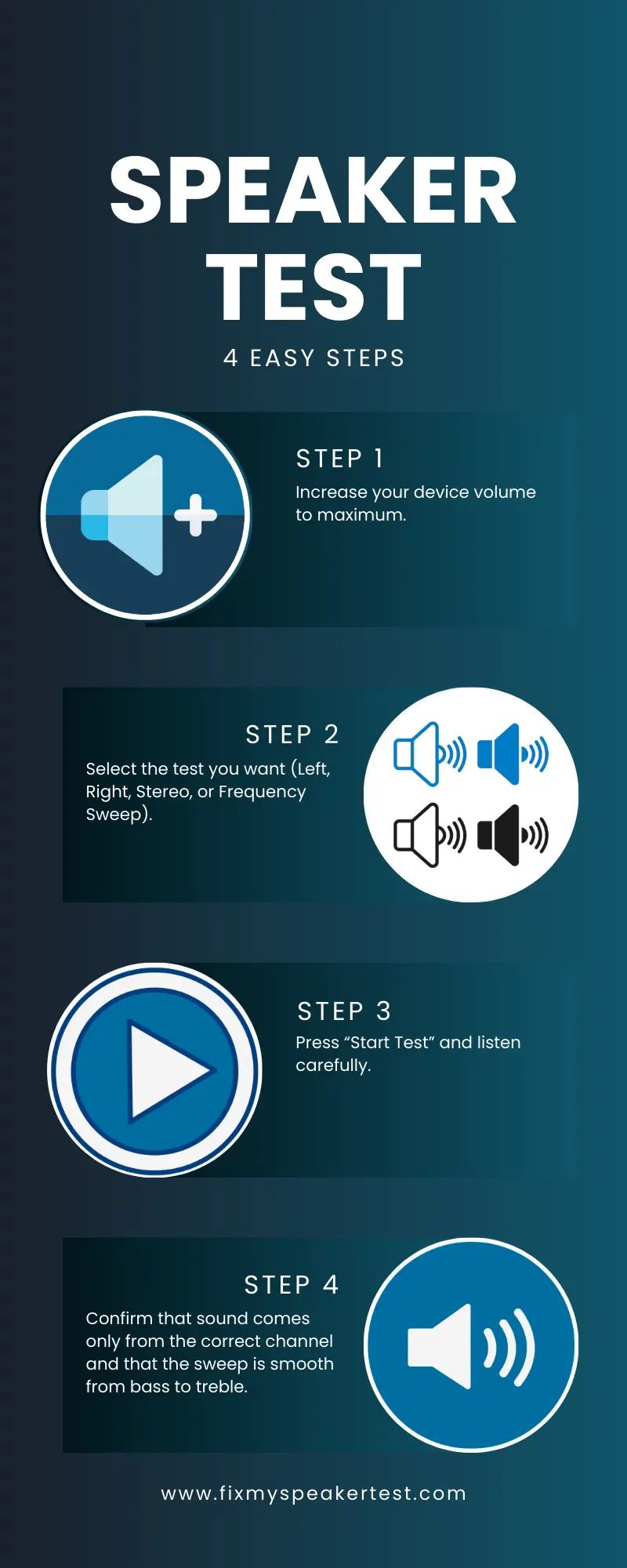
Testing your speaker sound online is fast and easy:
- Increase your device volume to maximum
- Select the test you want (Left, Right, Stereo, or Frequency Sweep).
- Press “Start Test” and listen carefully.
- Confirm that sound comes only from the correct channel and that the sweep is smooth from bass to treble.
If the sound is clear and consistent, your speakers are working correctly. If you hear distortion, missing frequencies, or one side silent, this tool has already helped you detect the issue. You can also clean your call speaker on this site.
Types of Speaker Tests You Can Run
1. Left Channel
Plays a tone only through the left speaker. You should hear sound only on the left. If you hear it on the right, your stereo channels may be reversed.
2. Right Channel
Plays audio only through the right speaker. If no sound is heard, check volume, balance settings, and speaker connections.
3. Stereo Test (Left → Right)
This speaker sound test plays sound first on the left channel and then switches to the right. Confirms proper stereo separation. Checks channel switching accuracy and balanced audio output
4. Frequency Sweep (20Hz – 20kHz)
This advanced sound test gradually moves from deep bass (20Hz) to high treble (20kHz). It helps you detect: Weak bass response. Rattling or vibration at low frequencies. Distortion at certain frequencies. Dead frequency zones. Speaker driver damage.
What This Sound Test Checks?
This speaker sound test tool verifies:
It is ideal before:
- Online meetings
- Gaming sessions
- Streaming or content creation
- Setting up new speakers or Bluetooth audio
Signs Your Speaker Needs an Audio Test
You should run a speaker test or sound check if you notice:
Running a quick speaker test sound online will help you determine whether the issue is software‑related (volume, settings, routing) or hardware‑related (damaged speaker).
How to Fix Speaker Problems After the Sound Test?
If your speaker test fails, try these quick fixes:
Dust, water, loose cables, and incorrect balance settings are some of the most common causes of speaker sound problems.
Why Use an Online Speaker Test Instead of Software?
Using a speaker test online is the fastest way to check sound without installing any application. Benefits include:
No downloads required – runs directly in your browser.
Works on iPhone, Android, Windows, and macOS.
Quick hardware vs software diagnosis.
Safe, lightweight, and free to use.
This also makes it perfect when you need to test sound on a shared or public computer, or during a quick setup before a zoom meeting or stream.
If You Can’t Hear Any Sound During the Sound Test
If the speaker test produces no sound:
Make sure your speakers or headphones are powered on and correctly connected.
Increase system volume and check mute status.
Confirm your device’s playback output is set to the correct speaker.
Allow your browser permission to play audio.
Restart the browser or device and try again.
Update audio drivers if you are on a PC.
Sometimes the issue is simply that the wrong output device is selected.
If Only One Speaker Works
If only the left or right channel plays:
- Check balance settings in your operating system to ensure it’s centered.
- Inspect cable connections and swap speakers if possible.
- Try headphones to isolate the problem.
- A failed channel is often caused by loose wiring or incorrect balance configuration.
When Should You Run a Speaker Sound Test?
You should perform a speaker check when:
- Setting up new speakers or headphones
- Connecting Bluetooth audio (soundbar, headset, car system)
- Experiencing distortion or imbalance
- After updating sound drivers
- Before important meetings, gaming, or streaming sessions
Regular sound tests help keep your audio system reliable and prevent surprises during critical use.
Why Use Our Speaker Sound Test?
Our tool is designed to be user-friendly, fast, and reliable. It gives you instant feedback on your device’s audio performance, helping you diagnose problems and restore audio clarity without technical expertise. Whether you’re testing sound, checking stereo balance, or fixing speaker issues, our free online tool helps ensure that your speakers are working perfectly.
Common Speaker Problems and Causes
| Problem | Possible Cause |
| No sound | Muted device or wrong output selected |
| Only left or right works | Balance setting or loose cable |
| Distortion at high volume | Damaged speaker driver |
| Weak bass | Poor subwoofer connection or settings |
| Buzzing during sweep | Internal hardware vibration or damage |
Running a speaker sound test helps you narrow down the cause and decide whether a simple setting fix or hardware repair is needed.
FAQs | Speaker Test
Conclusion
A quick speaker test is the easiest way to check if your device is producing clear, balanced audio. With this free online speaker sound test tool, you can instantly run a speaker check, test my speaker, or perform a full frequency sweep (20Hz – 20kHz) without downloading any app.
Whether you need a simple sound test, a stereo sound check, or a detailed audio test, this tool helps you identify problems and ensure your speakers sound perfect—whether you’re on a phone, laptop, or desktop.
